
A fan-made web client for XMage.
Playmat is a hobby project: a browser client for XMage, the open-source Magic: The Gathering rules engine, styled after MTG Arena. Play it in your browser at playmat.deimos.studio, install it on your computer to play XMage's AI, Career or friends on your Wi-Fi, or run a server for your group. It's free, MIT licensed, and not affiliated with Wizards of the Coast.
It's a work in progress with rough edges. Bug reports and pull requests are welcome on GitHub.
Free for Windows, macOS and Linux. All downloads
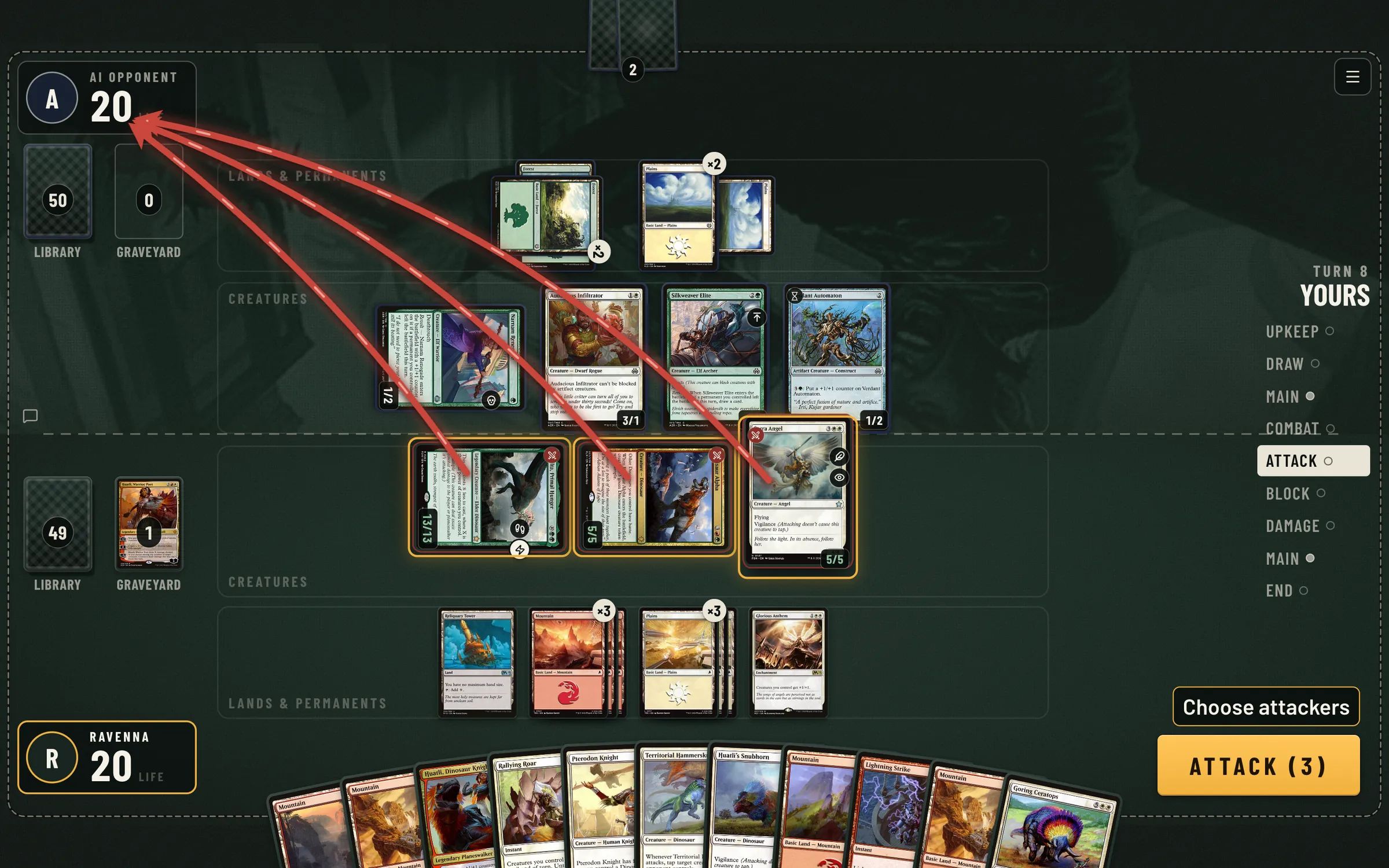
Playing
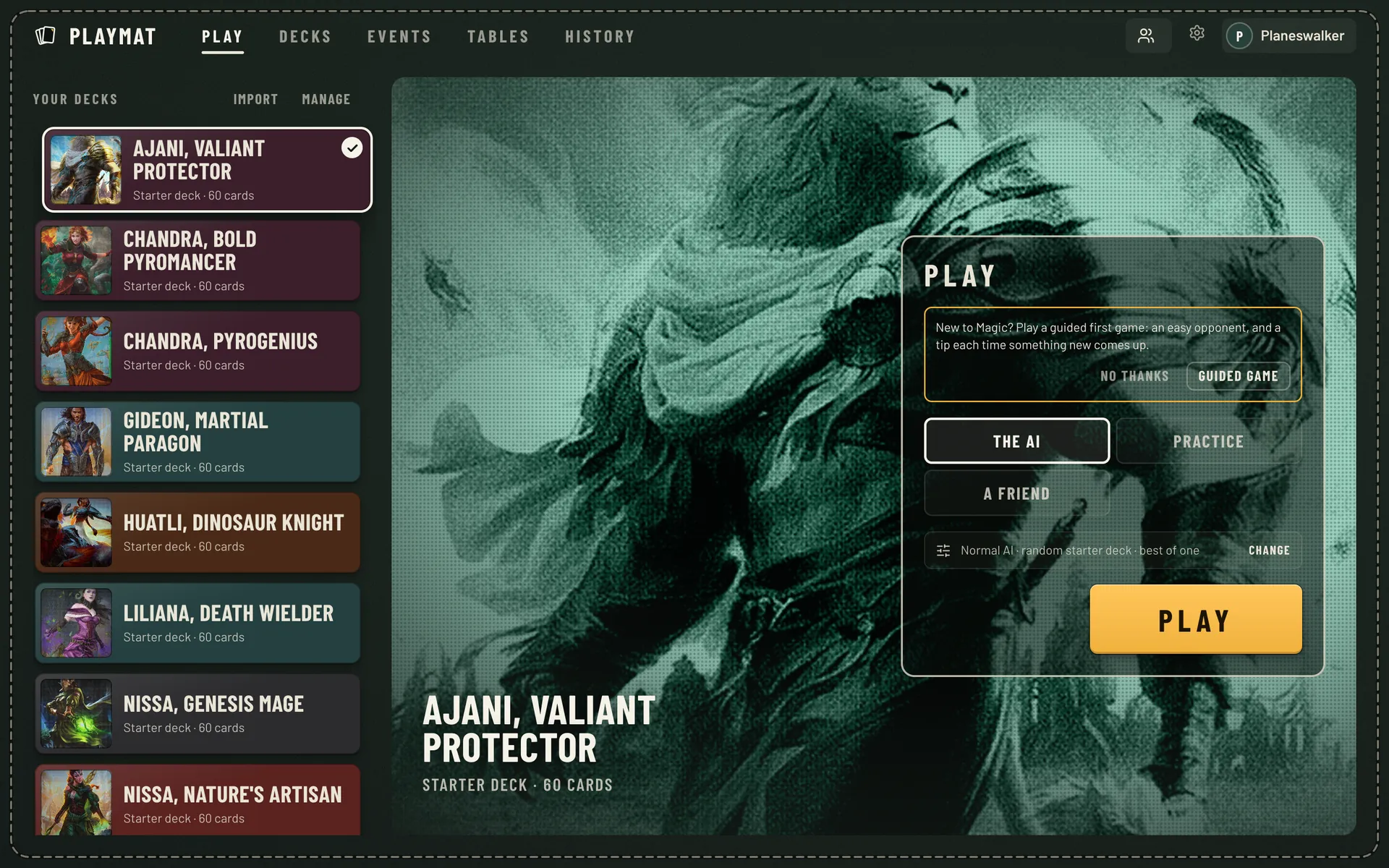
Pick a deck and press Play to start a game against the AI, or send a friend an invite link to play each other.
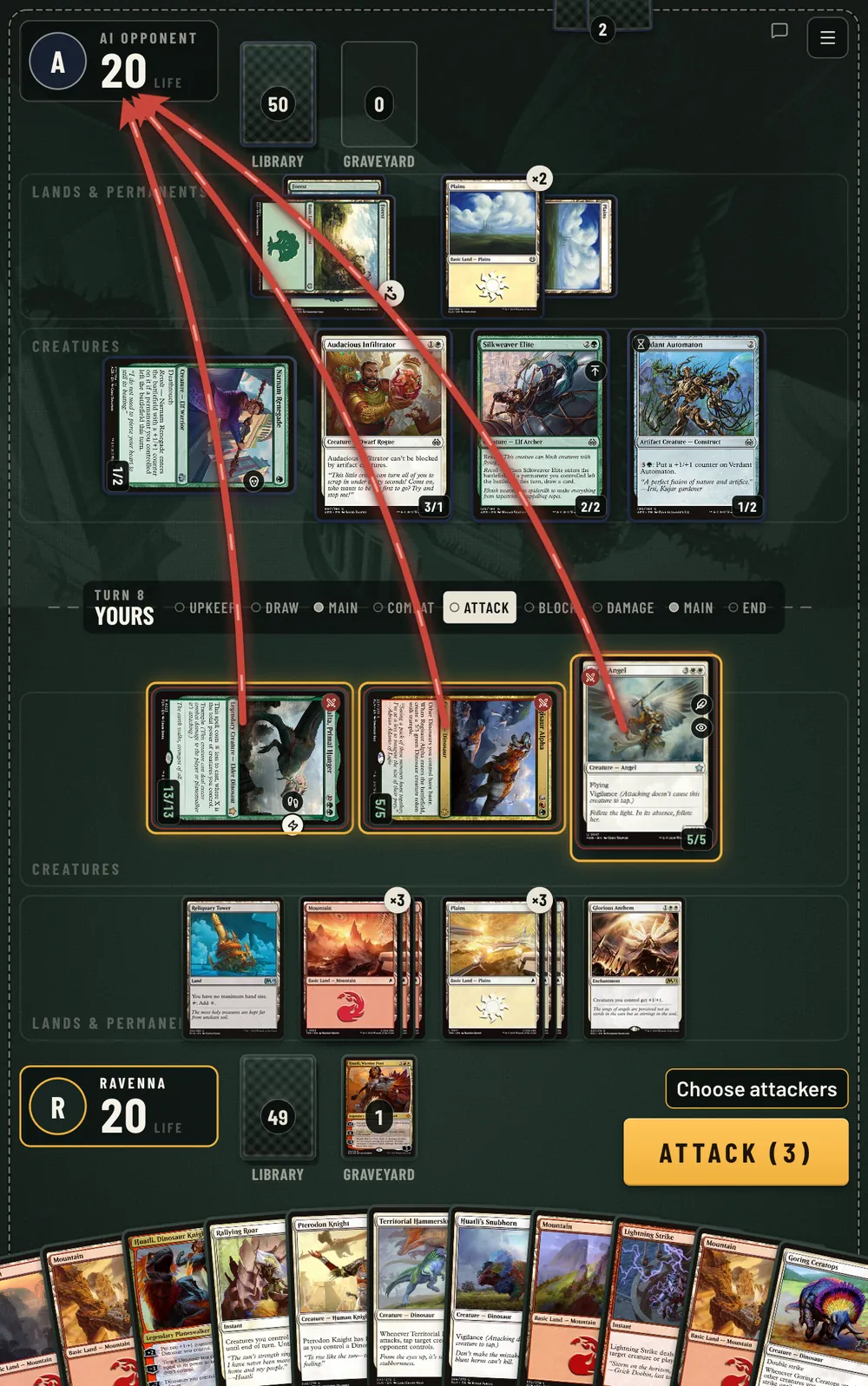
- Attack arrows, a visible stack and priority you can read at a glance
- Auto-pass with the stops you choose, and keyboard shortcuts
- Practice mode: a goldfish opponent and any card into your hand or onto the battlefield
- Spectating, match history and replays of finished games
- Visible keyboard focus, reduced motion respected, and no state shown by colour alone
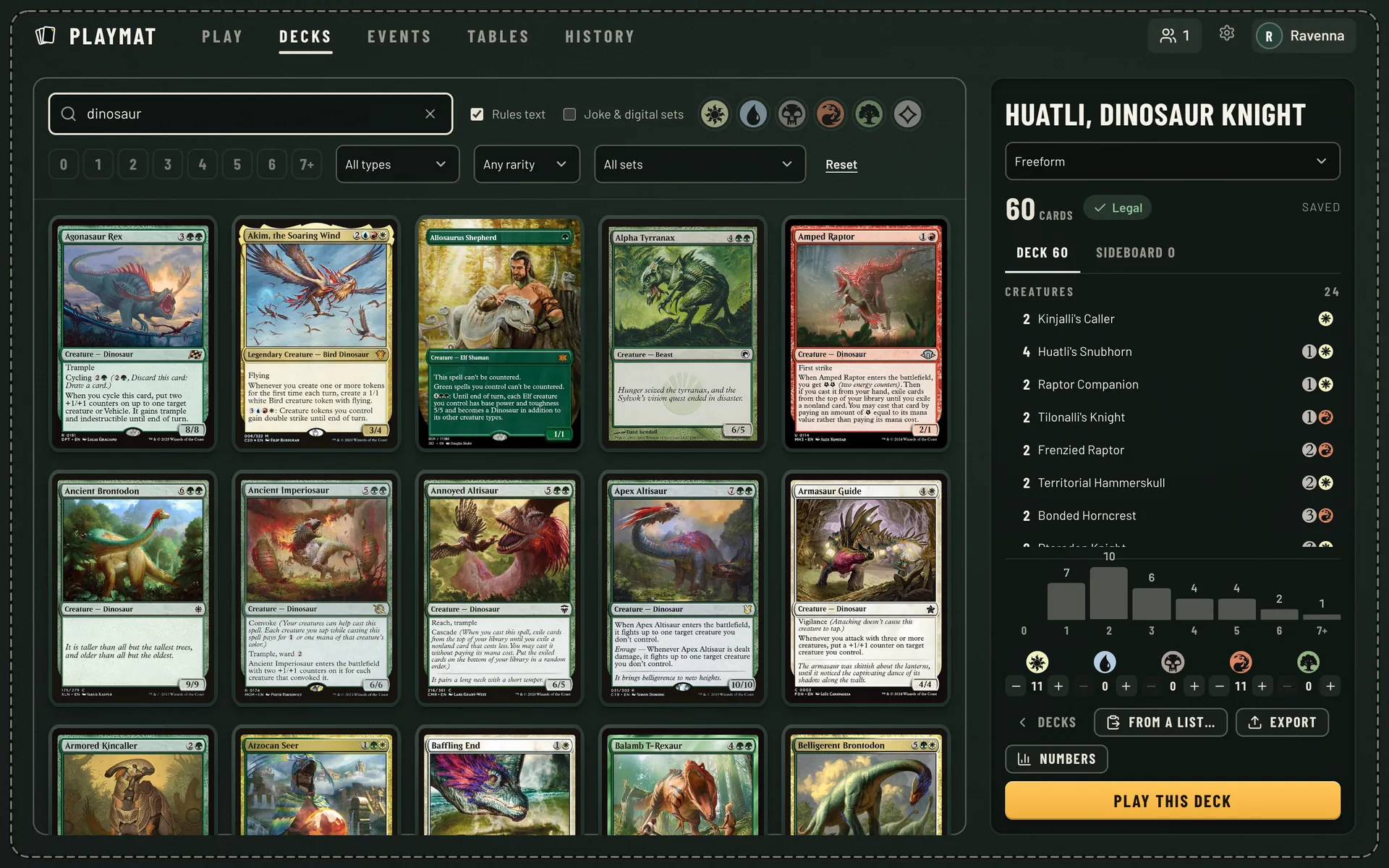
Decks
Decks come in from a link (Archidekt, Moxfield and other sites), a pasted list or a .dck file.
Every new account gets a set of starter decks, Commander ones included.
- Card search by name, type, rules text, colour, cost, rarity and set
- Format checks, a mana curve and colour counts as you build
- Booster draft, sealed, Jumpstart and constructed events, with AI players in empty seats
Career mode
An optional single-player mode. You start with a starter deck and a hundred coins, win games against the AI, open packs to build a collection, and work through a school for each format.
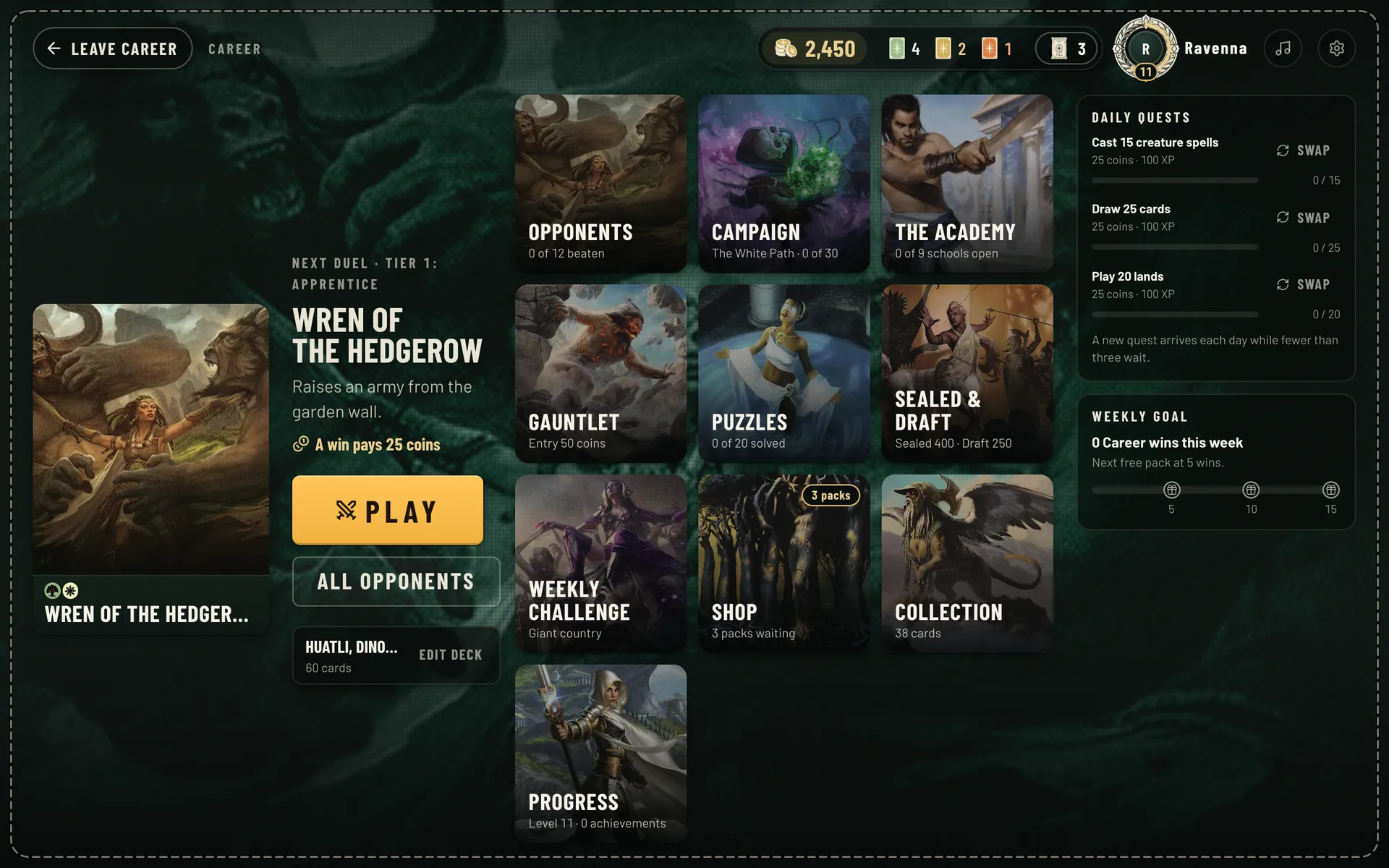
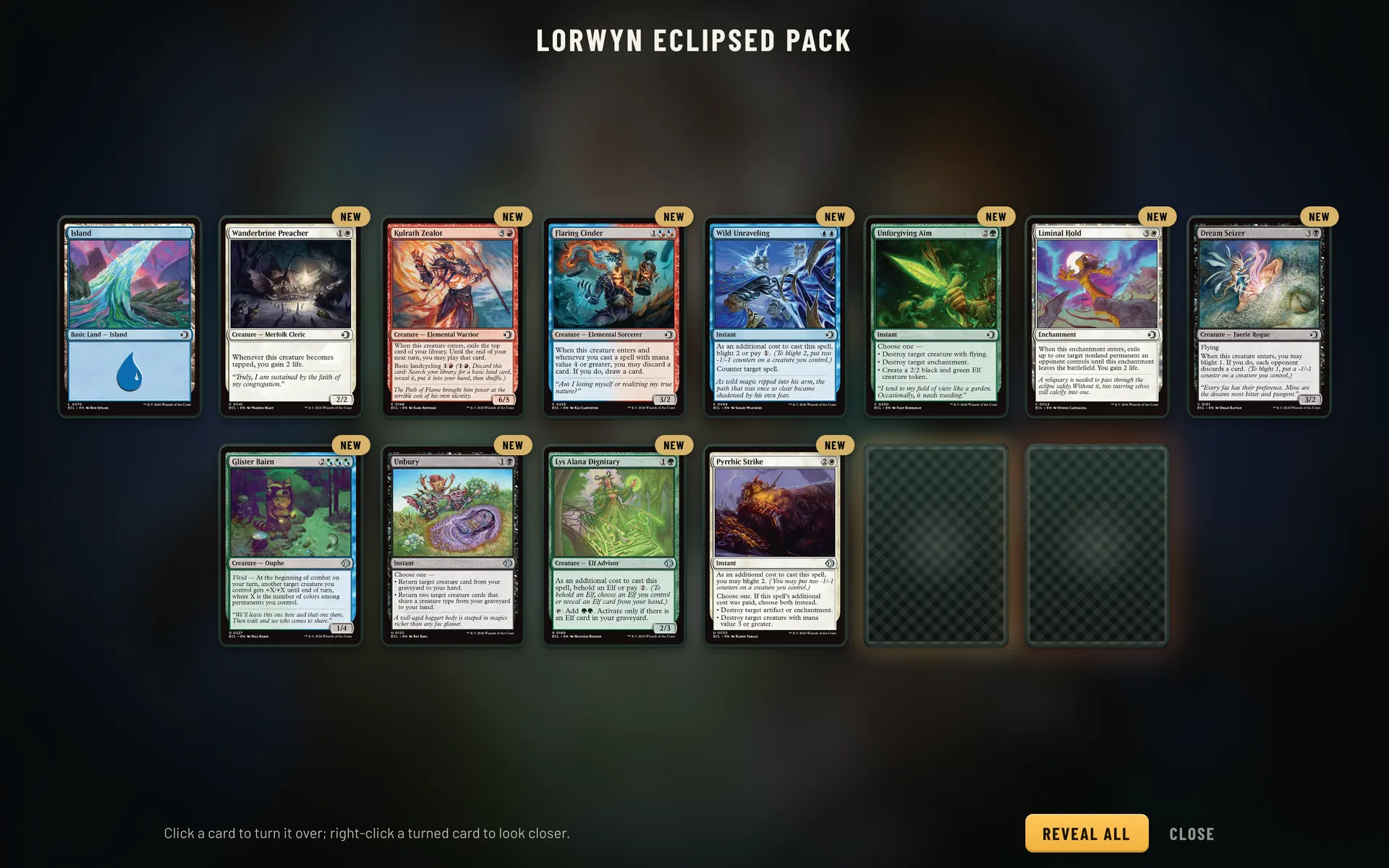
- Campaign
- Five colour paths, a boss at the end of each.
- The Academy
- A school for every format, from the rules to today's decks.
- Gauntlet
- Build from packs and climb eight bosses.
- Sealed & draft
- Open or draft a set, then play to three wins.
- Puzzles
- Win from a fixed position this turn.
- Weekly challenge
- The same decks for everyone, and a board.


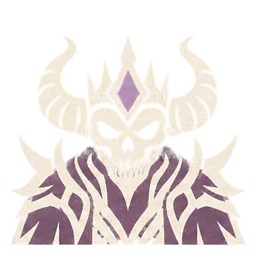

















The Career art (boss portraits, format crests, achievement icons and sleeves) is AI-generated for the project in one letterpress style.
Tablets and Android
The table reflows from a wide monitor down to a tablet in portrait. It installs as a web app, and there's an Android app built from the same code that keeps card pictures on the device.
- Any modern desktop browser
- Tablets in landscape and portrait, fullscreen when installed
- Android app built from the same code
- English and Spanish
From XMage
Playmat is a new client, not a new engine. All of this comes from XMage:
- Multiplayer
- Commander, Brawl, Oathbreaker and free-for-all games for up to ten players.
- Tournaments
- Swiss or elimination events with drafting, sealed pools and sideboarding.
- Lobby
- Chat, players online, profiles and a table browser to join or watch any game.
- Rules on the server
- Rules and hidden cards are handled on the server, so a client can't cheat.
- Accounts
- Optional sign-up with passwords, ratings, moderation and admin tools for public servers.
Play on your computer
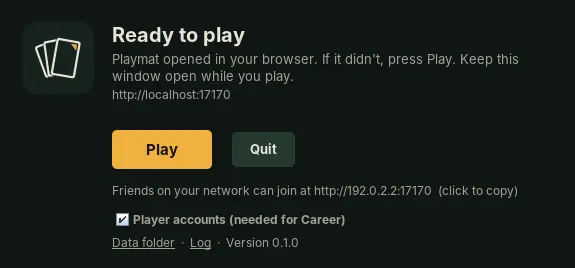
One download with everything inside, Java included. Nothing else to install and nothing to set up: open Playmat and the game opens in your browser. Play the AI and Career on your own, or have friends on the same Wi-Fi join you.
- InstallRun the installer, or drag Playmat to Applications on a Mac.
- Open PlaymatThe first start prepares the card database. That takes a few minutes, once.
- PlayThe game opens in your browser. Friends on your network join at the address Playmat shows.
-
Windows
Download for WindowsWindows 10 or 11. Run the installer and press Install. If Windows says it protected your PC, choose More info and then Run anyway: Playmat is a free fan project without a paid signing certificate. Or skip that screen by installing from PowerShell:
irm https://github.com/arcanite24/playmat/releases/latest/download/install.ps1 | iex -
macOS
Apple silicon (M1 and later) Intel MacNot sure? Apple menu, About This Mac: "Apple M…" is Apple silicon. Drag Playmat to Applications. The first time, macOS asks you to allow it: open System Settings, Privacy & Security and choose Open Anyway. Or skip that step by installing from the Terminal:
curl -fsSL https://github.com/arcanite24/playmat/releases/latest/download/install.sh | sh -
Linux
Paste this in a terminal. It picks x64 or ARM, installs Playmat in your home folder, adds it to the applications menu and starts it.
curl -fsSL https://github.com/arcanite24/playmat/releases/latest/download/install.sh | shOr download the x64 or ARM archive and run
Playmat/playmat.
- Your accounts, decks and Career progress stay on your computer and are kept when you update.
- Playmat tells you when a new version is out.
- Card pictures come from Scryfall, so an internet connection helps.
Release notes and earlier versions are on the releases page.
Run a server
For a group that plays together from anywhere, someone runs the server with Docker Compose, on a home machine for a LAN or on one with a domain, and everyone else opens the site in a browser.
- xmage
- the game server and its WebSocket bridge
- web
- Caddy: automatic HTTPS, security headers, rate limits
- imgcache
- a caching proxy for Scryfall card pictures
- backup
- nightly dumps of the player databases
The images are published for x86 and ARM, so nothing needs building, and the owner updates the server from its admin console. Run a server and Updating in the docs walk through it; the deployment guide has every setting, LAN servers with no domain, and capacity numbers.
# get the code
git clone https://github.com/arcanite24/playmat.git
cd playmat

# set DOMAIN, XMAGE_AUTH, XMAGE_OWNER
cp ops/web/.env.example ops/web/.env

# pull the published images and start
docker compose -f ops/web/docker-compose.yml --env-file ops/web/.env up -d
Keeping the server on
Playmat is free to play, always. Players who can chip in cover the public server's monthly costs, and get a small cosmetic thank-you in Playmat's own style. Nothing is ever gated behind it.

Credits
The rules engine, the card implementations and the AI are the work of the XMage project and its contributors since 2010; Playmat merges XMage regularly to pick up new sets and fixes. Card pictures and data come from Scryfall. Magic: The Gathering belongs to Wizards of the Coast.